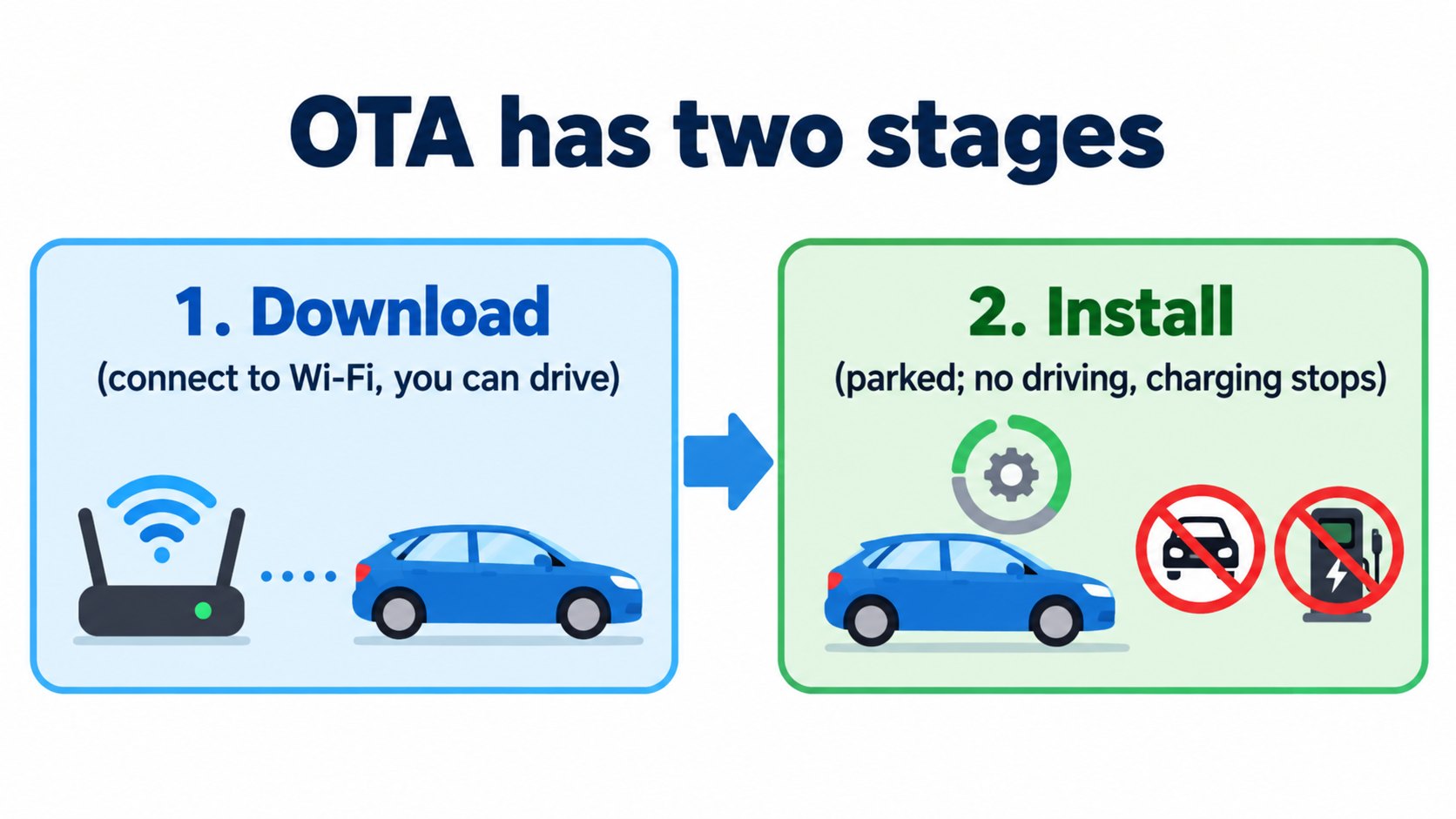
OTA (over the air) means updating a car's software wirelessly. According to Tesla's Model 3 owner's manual (North America), an update has two stages: download (usually requires Wi-Fi) and install. You cannot drive while it installs, and charging stops until it finishes. With "Automatically Install Updates" on, the car installs at 2 a.m. if it is parked at your Home location with more than 10% energy remaining.
In Part 2, The flow of information, we followed information moving through the car. In this article we check, in Tesla's official sources, how the car's software gets updated.
The conclusion: two stages, and you cannot drive during the install
The Model 3 owner's manual ("Software Updates", North America) says (summary):
- Tesla updates the software over the air, and recommends installing updates at the earliest opportunity.
- There are two steps: download (in most cases Wi-Fi is required) and install.
- The download starts automatically when an update is available, showing a green arrow. Without Wi-Fi, a yellow download icon appears. You can drive while downloading, but losing Wi-Fi can interrupt it.
- When the download finishes, a clock icon appears. Touch it and choose "Install Now" or "Set For This Time".
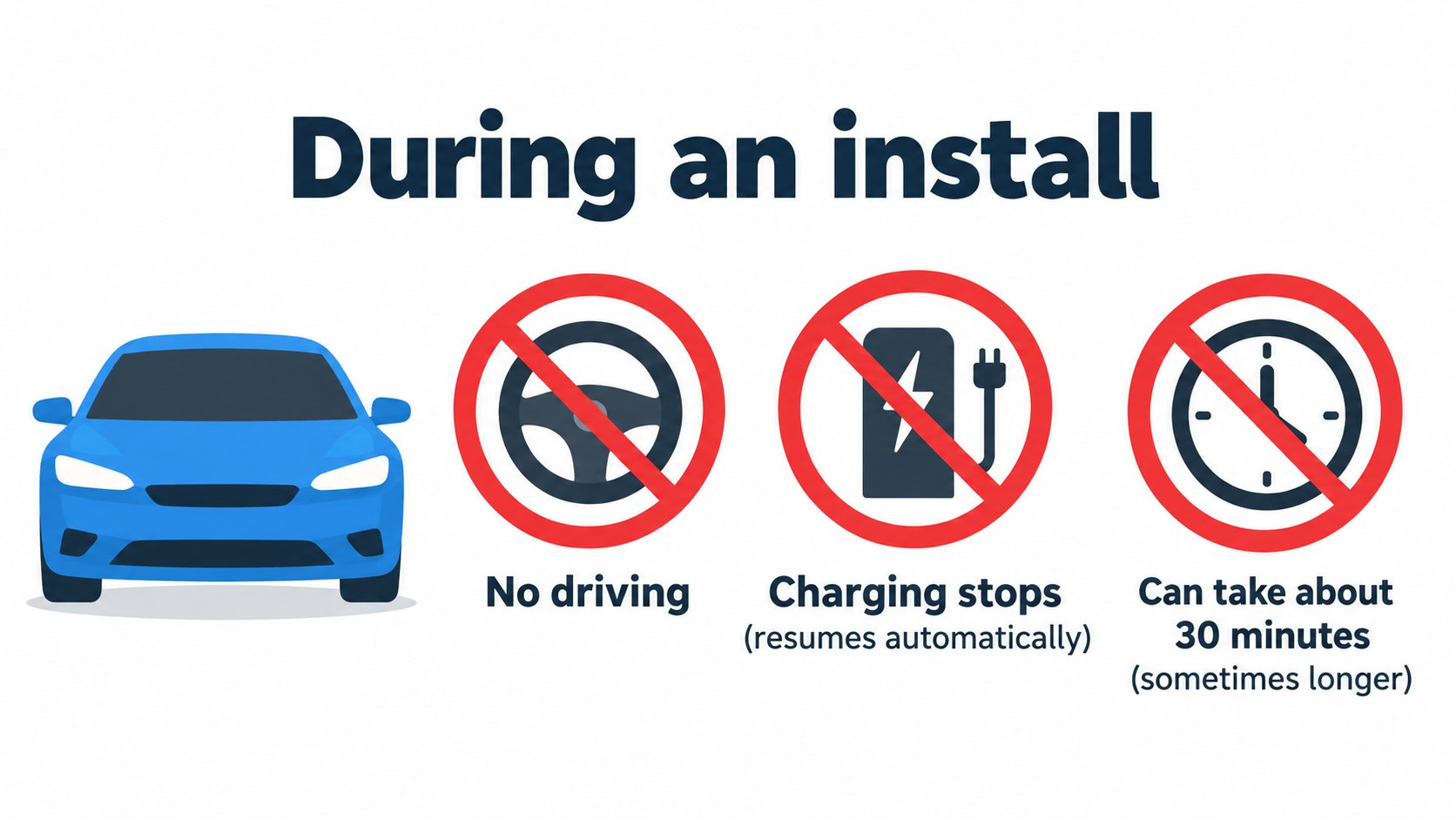
- You cannot drive while software is being installed. If the car is plugged in, charging stops until the installation is complete (and resumes automatically).
- Some updates take approximately 30 minutes (some may take longer). The car must be in Park.
[A note for beginners]
OTA stands for "over the air", meaning wirelessly. It is similar to updating an app on a smartphone: the car's software is refreshed without a visit to a shop.
Tesla's support page ("Software Updates") says you cannot drive during the install phase "as a safety measure".
When an update will not install
The manual and support page say:
- If you are driving at the scheduled time, the update is canceled and must be rescheduled.
- Updates are not performed when Keep Climate On, Pet Mode or Camp Mode is on.
- Updates are rolled out to cars in turn. You cannot request one for your car. Staying connected to Wi-Fi is the best way to receive them quickly.
- A stable Wi-Fi connection of at least three bars is recommended.
- Reverting to a previous software version is not possible.
- If the screen says an update did not complete, wait for the next update. The support page also lists steps (such as rebooting the touchscreen) if an update seems stuck.
Choosing how soon: Advanced or Standard
In Controls > Software you can choose how quickly you receive updates.
- Advanced: more releases, received earlier.
- Standard: you wait until others have installed; fewer releases.
The manual says choosing Advanced does not enroll the car in Tesla's early access program.
Automatic overnight updates
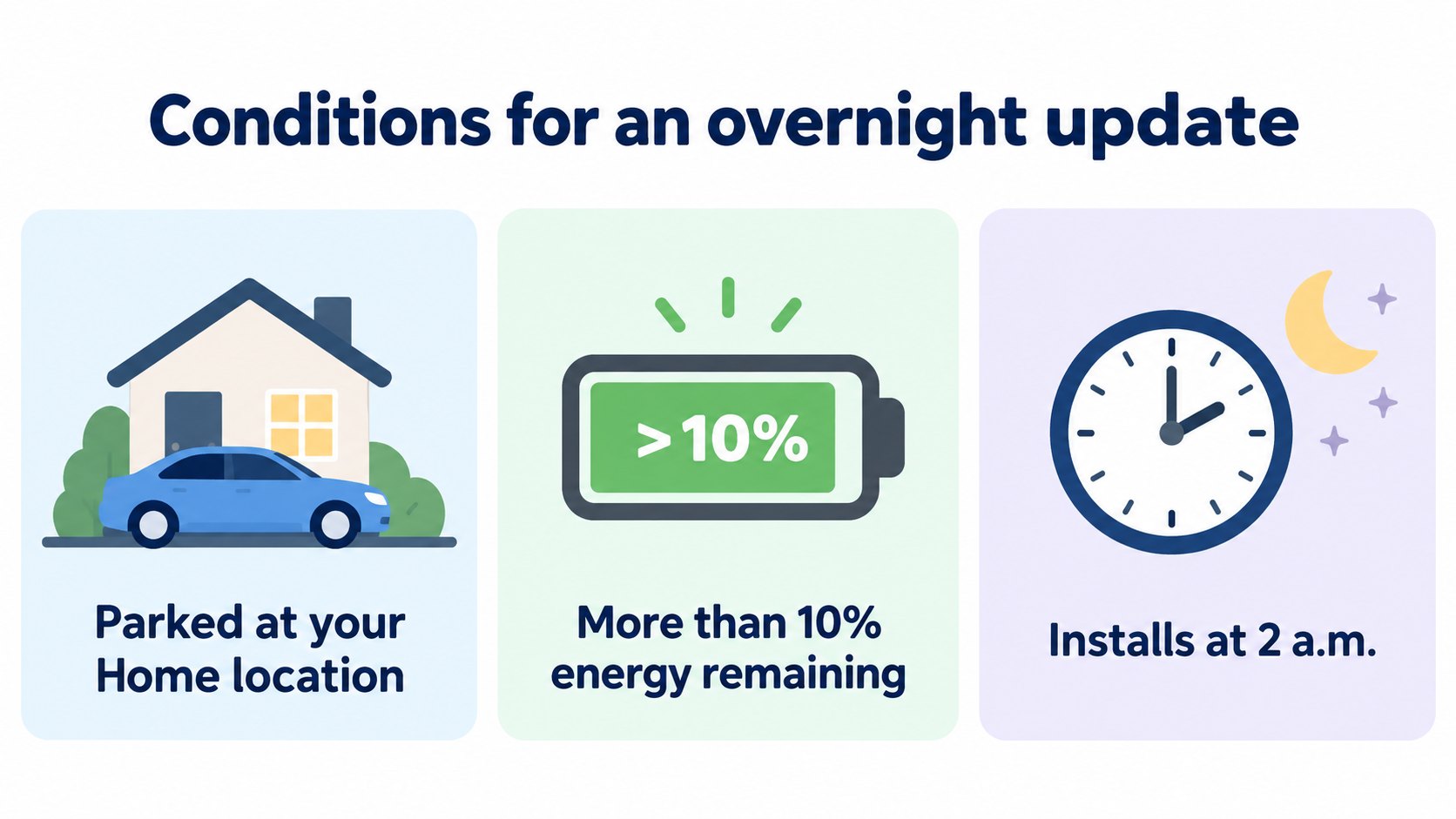
Turning on Controls > Software > Automatically Install Updates makes the car download updates and install them at 2 a.m., as long as (per the manual):
- the car is parked at the location you set as Home, and
- it has more than 10% energy remaining.
The mobile app sends a notification when the install is scheduled.
After the update: release notes
When an update finishes, the touchscreen shows release notes. You can view them later at Controls > Software > Release Notes. The manual strongly recommends reading them, because they may contain important safety information or operating instructions.
FAQ
What is OTA?
A way to update a car's software wirelessly. Tesla cars receive updates regularly.
Can I drive or charge during an update?
No. According to the manual, you cannot drive during the install, and charging stops until it finishes, then resumes automatically.
Can I pick which updates to install?
You can choose the time to install. You cannot ask Tesla to send an update to your car right now. You can choose how soon to receive them with Advanced or Standard.
Can updates install automatically overnight?
Yes. With "Automatically Install Updates" on, the car installs at 2 a.m. when parked at Home with more than 10% energy.
Can I roll back an update?
No (owner's manual and support page).
Summary
- OTA updates a car's software wirelessly in two stages: download (Wi-Fi) and install (owner's manual).
- No driving or charging during the install. Updates will not install while Keep Climate On or similar modes are on.
- "Automatically Install Updates" installs at 2 a.m. when parked at Home with over 10% energy.
- Updates cannot be rolled back; reading the release notes is recommended.
- Examples of changes, the time discrepancy and details for Japan were not confirmed.
Sources (checked 2026-10-16)
- Model 3 Owner's Manual, "Software Updates" (North America, software 2026.32): https://www.tesla.com/ownersmanual/model3/en_us/GUID-A5A60CB3-7659-4B08-B2FD-AFD12C2D6EE1.html
- Tesla Support, "Software Updates": https://www.tesla.com/support/software-updates
This article is for learning about science and technology and is not investment advice. Facts and the author's reading are kept separate. The figures are AI-generated illustrations.
Thank you for reading. Was this article useful to you?
Thank you. If you like, tell us what you thought in a line or two.
Optional. No name or email needed.
Received. We will use your words to make better articles.