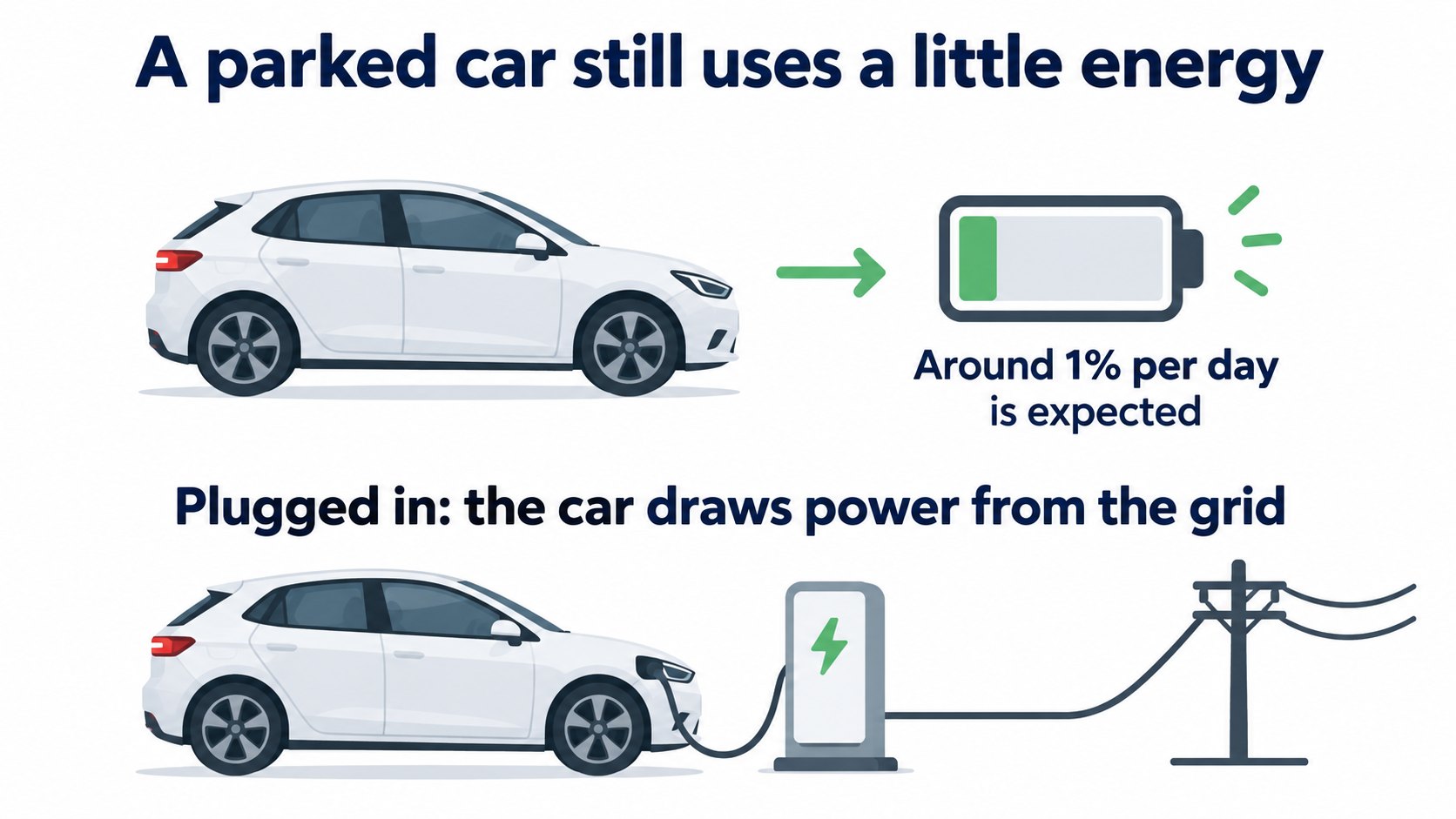
Tesla's Range Tips page says it is expected for a Tesla to consume around 1% of charge per day while parked. Sentry Mode, Keep Climate On, preconditioning and mobile app requests can raise it. When plugged in, the car draws power from the grid instead of the main battery. Turning on Low Power Mode switches off features such as Sentry Mode when charge falls below a level you choose (10-20%, default 20%).
In the previous article we saw that the displayed range depends on how you drive. Here we check why the battery drops while the car sits parked, and by how much, in Tesla's official sources.
The conclusion: about 1% per day is expected; features raise it
The FAQ in Tesla's "Range Tips" support page says (summary):
- It is expected for a Tesla to consume around 1% of charge per day while parked.
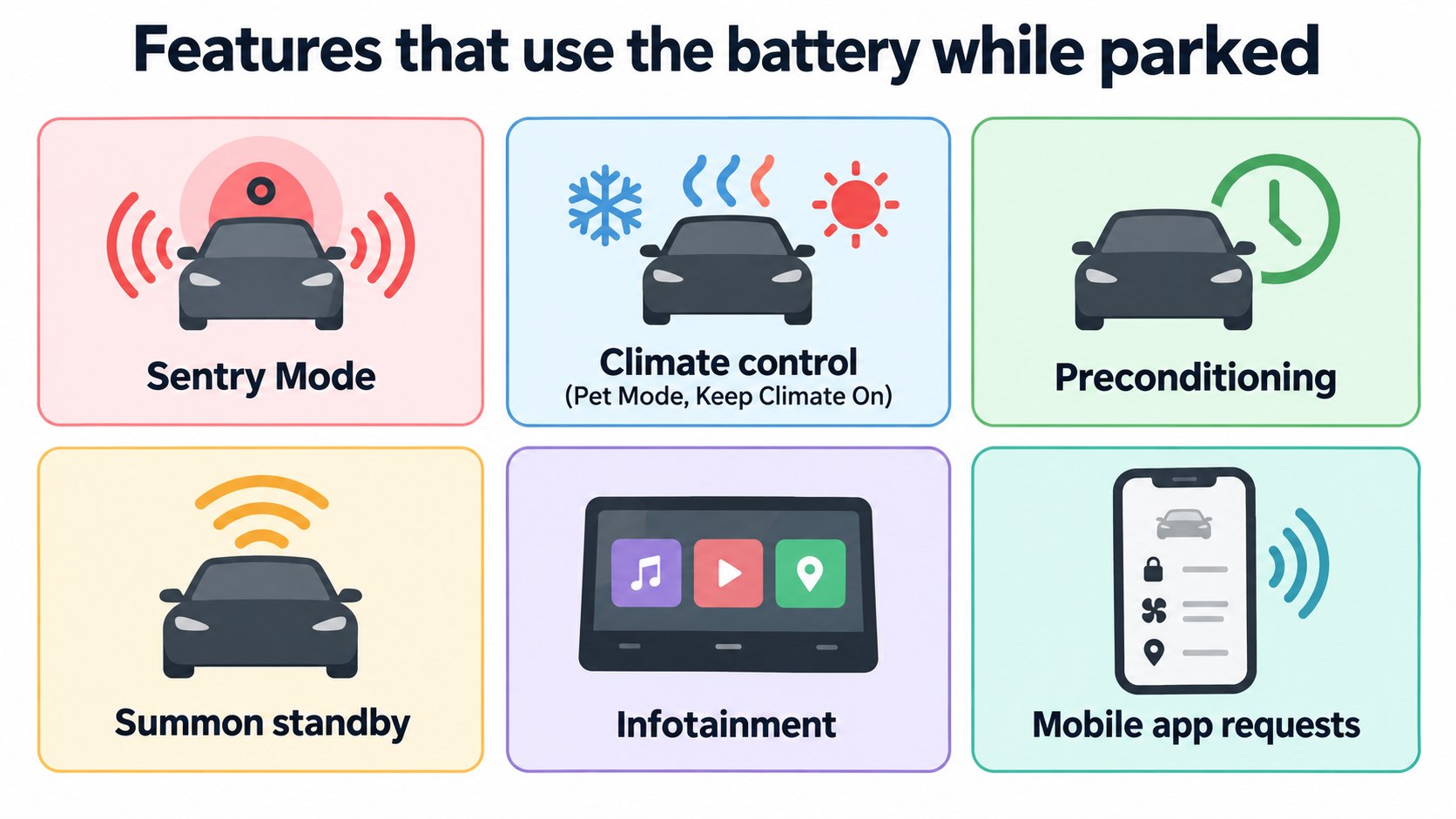
- In some cases you may notice higher consumption. Tesla recommends deactivating preconditioning, Sentry Mode, Keep Climate On, Keep Accessory Power On and any aftermarket equipment when not needed.
- When using those features, keep the car plugged in if possible.
[A note for beginners]
Sentry Mode watches the car's surroundings with its cameras while parked. Preconditioning warms (or cools) the battery and cabin before you leave. Both use battery power while the car is parked.
Features that use the battery while parked (Range Tips list)
Range Tips lists these as drawing power from the main battery while parked:
- Power outlets and Powershare
- Sentry Mode
- Climate controls, including Pet Mode, Camp Mode and Keep Climate On
- Cabin Overheat Protection
- Preconditioning (when unplugged)
- Summon Standby Mode
- Infotainment, including video and music streaming and gaming
The owner's manual also lists mobile app requests (Tesla or third-party). Tesla says aftermarket equipment or third-party apps that collect vehicle data can increase parked consumption and reduce battery lifespan.
When plugged in
The "Non-Driving Energy Consumption" section of Range Tips says (summary):
- Connect to a charger whenever parked. The car draws power from the grid instead of the main battery.
- Turn Sentry Mode off in secure places such as home, work or saved favorites.
- Use climate controls and infotainment while charging or during short stops, not for long parked periods.
The manual's "Getting Maximum Range" page agrees: to prevent excessive energy consumption while the car is idle, keep it plugged in when not in use.
Low Power Mode
In Controls > Charging > Low Power Mode you can turn on Low Power Mode (owner's manual).
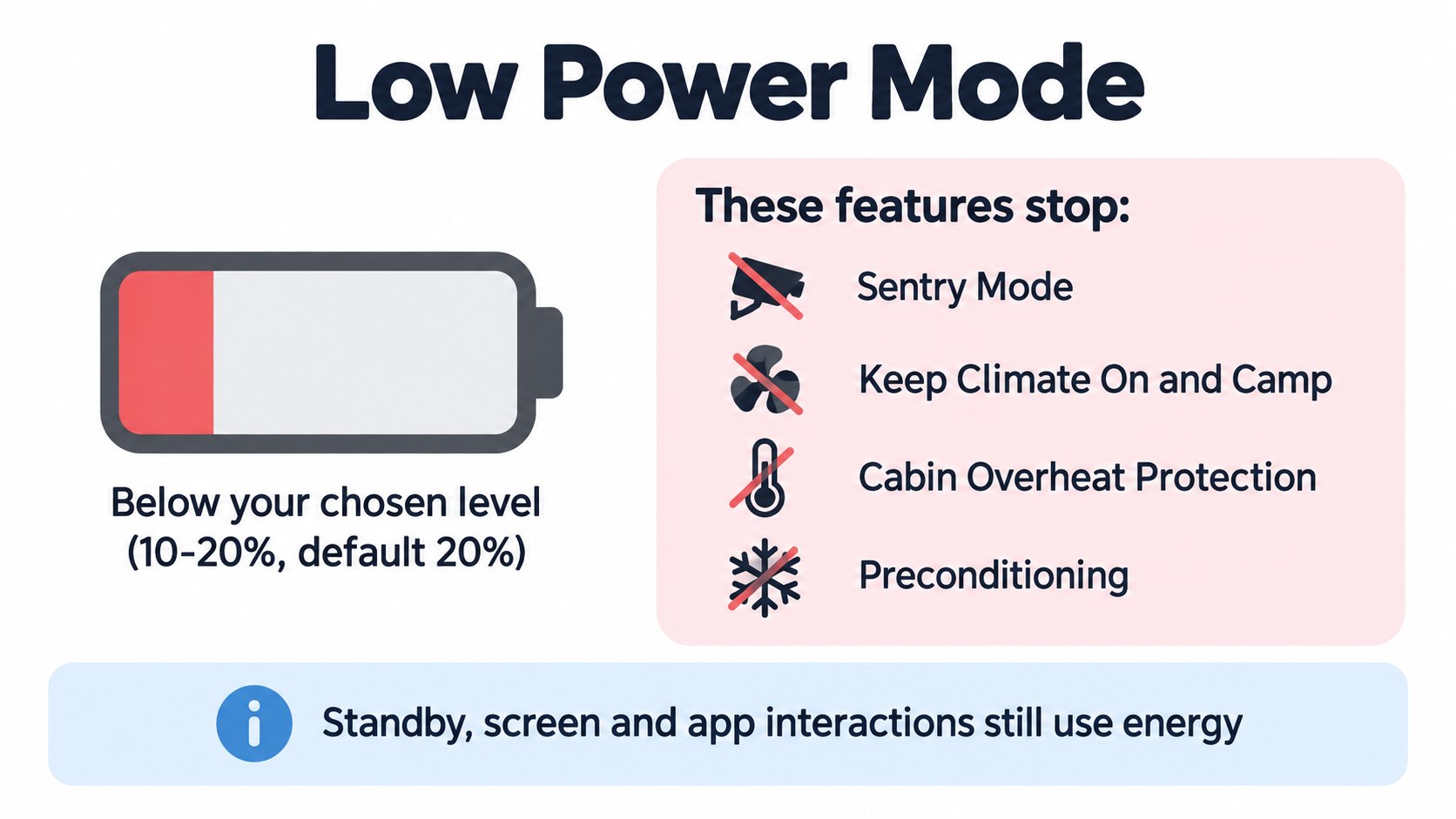
- It turns on automatically when the range falls below the percentage you choose, between 10% and 20% (default 20%).
- While on, these features are disabled and cannot be enabled:
- Sentry Mode - Keep Accessory Power On - Actually Smart Summon Standby Mode - Keep Climate On and Camp - Cabin Overheat Protection - Preconditioning
- The car still uses energy for standby functions, screen activity and mobile app interactions. In cold weather, available energy may drop more quickly.
Seeing parked consumption: the Energy app's "Park" tab
The Park tab of the Energy app shows the energy lost while parked, since the last drive or since the last charge, with suggestions to reduce it (owner's manual).
FAQ
How much does the battery drop while parked?
Range Tips says around 1% per day is expected. Features and apps can raise it.
How can I reduce parked consumption?
Switch off Sentry Mode, preconditioning, Keep Climate On and aftermarket equipment when not needed, and stay plugged in if possible (Range Tips).
What is Low Power Mode?
A setting that disables features like Sentry Mode when charge falls below a level you choose (10-20%, default 20%) (owner's manual).
What does plugging in change?
The car draws power from the grid instead of the main battery (Range Tips).
Summary
- Expected parked drain is around 1% per day (Range Tips).
- Sentry, climate, preconditioning, apps and aftermarket equipment raise it.
- Plug in to draw from the grid, and switch off features you do not need.
- Low Power Mode (10-20%, default 20%) disables Sentry and others. The Energy app's Park tab shows parked consumption.
Sources (checked 2026-10-16)
- Tesla Support, "Range Tips": https://www.tesla.com/support/range
- Model 3 Owner's Manual, "Getting Maximum Range" (North America, software 2026.32): https://www.tesla.com/ownersmanual/model3/en_us/GUID-4AC32116-979A-4146-A935-F41F8551AFE6.html
This article is for learning about science and technology and is not investment advice. Facts and the author's reading are kept separate. The figures are AI-generated illustrations.
Thank you for reading. Was this article useful to you?
Thank you. If you like, tell us what you thought in a line or two.
Optional. No name or email needed.
Received. We will use your words to make better articles.