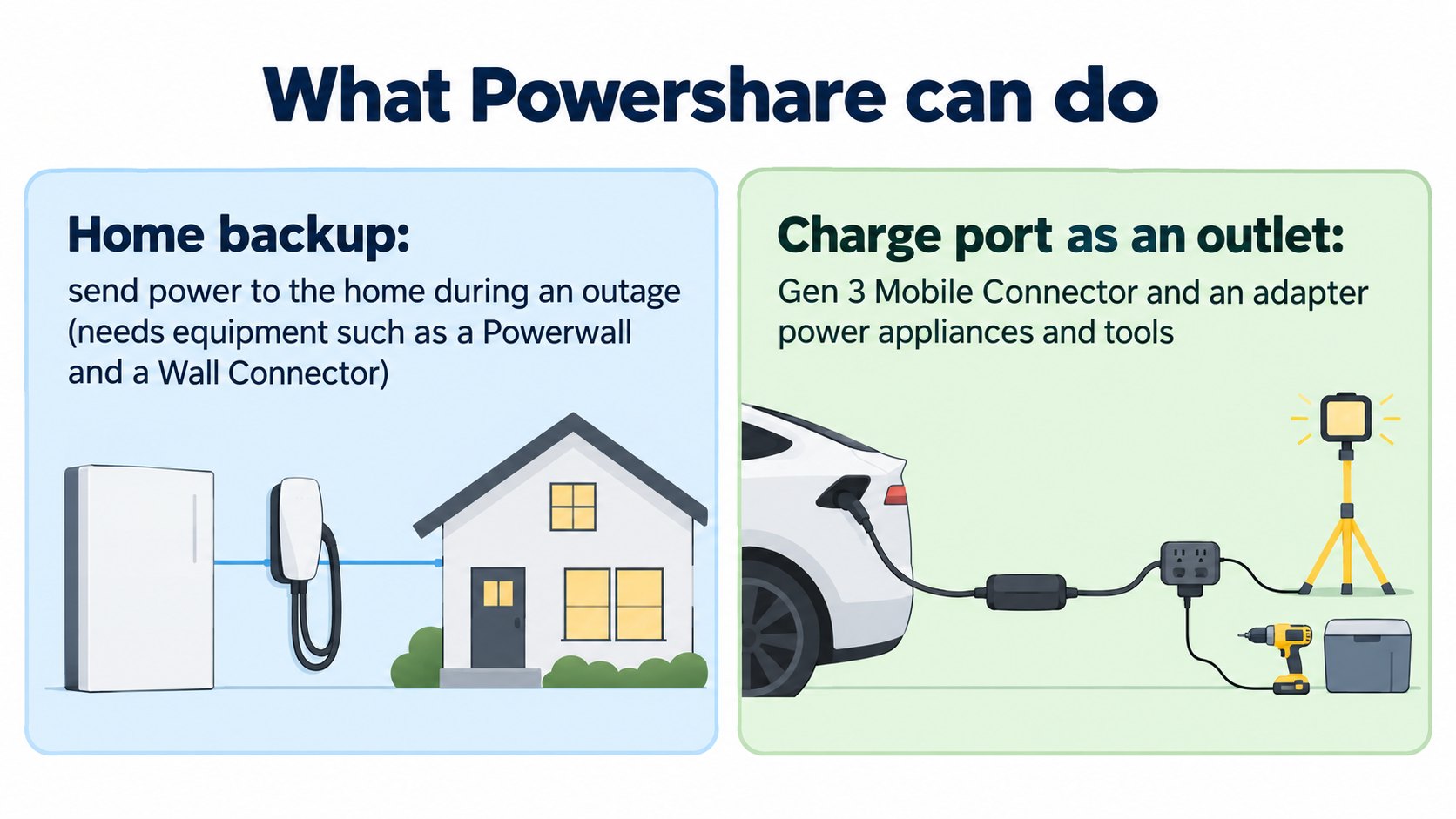
Powershare sends power from a Tesla's battery to a home or appliances. According to Tesla's support page, owners of the Cybertruck, Model 3 and Model Y can power their homes during an outage using their vehicle's energy. Sending power to a home needs equipment such as a Powerwall (home battery) and a Wall Connector. With a Mobile Connector and an outlet adapter, the car's charge port can work like an outlet (only the Gen 3 Mobile Connector supports this).
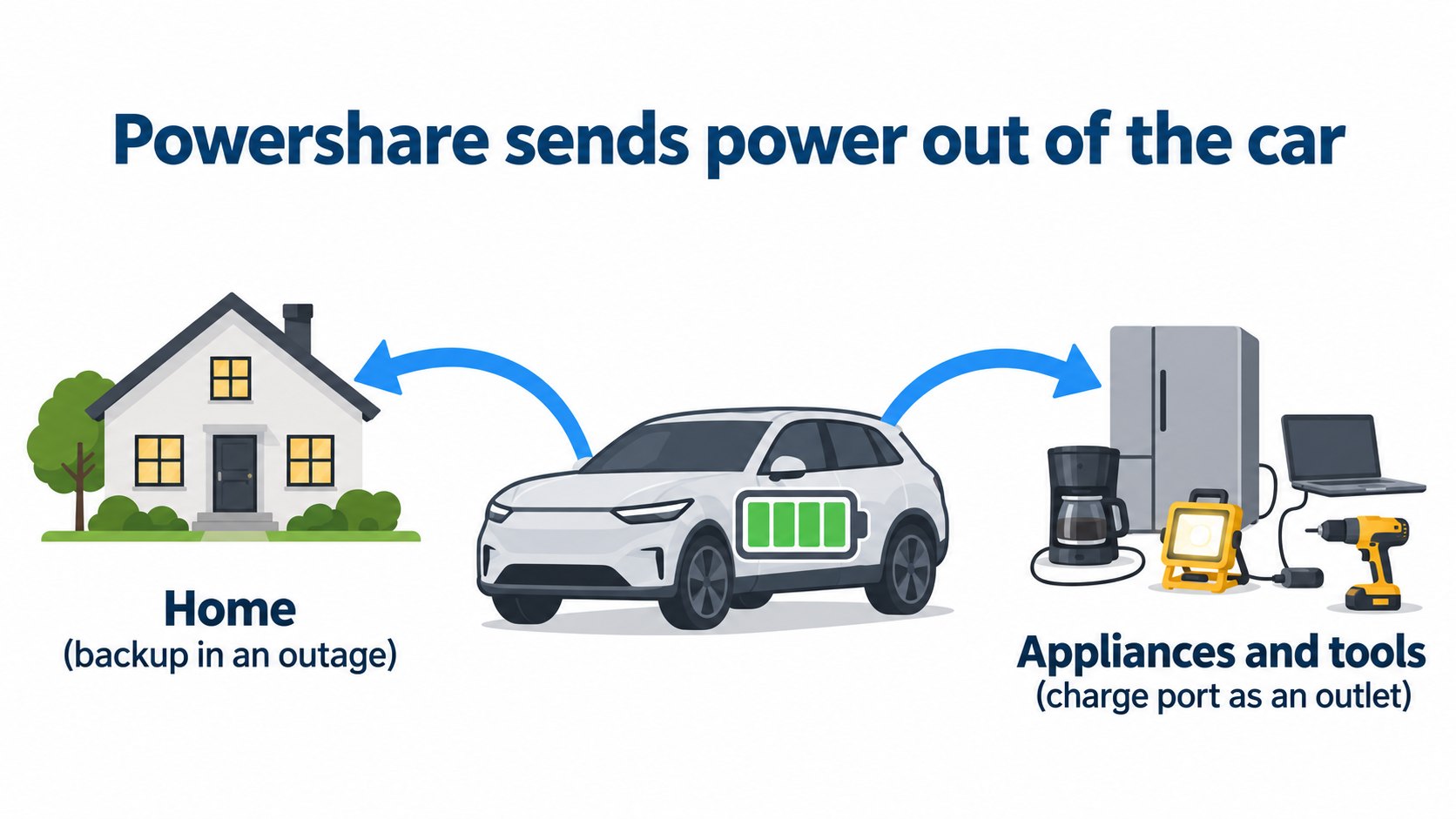
Normally, charging puts electricity into the car. Powershare works the other way: it sends electricity out of the car's battery. In this article we summarize what Tesla's support page ("Tesla Powershare") confirms.
The conclusion: home backup in an outage, and the charge port as an outlet
The support page says (summary):
- Cybertruck, Model 3 and Model Y owners can power their homes during an outage, or support the grid during high demand, using their vehicle's energy.
- Powershare Home Backup: a Cybertruck can automatically provide backup power to a home with up to 11.5 kW for over three days (an estimate based on an average US home using 30 kWh a day). It can detect an outage and start providing power within one minute, without noise, emissions or maintenance.
- With a Powerwall (home battery), a Cybertruck, Model 3 or Model Y can extend backup duration during long outages. Solar panels help further.
[A note for beginners]
V2L (Vehicle to Load) means sending power from a car to appliances; V2H (Vehicle to Home) to a house; V2G to the grid. These are general terms. Tesla's official page uses the name "Powershare". (This correspondence is a general explanation.)
Equipment needed
According to the support page, it depends on your home energy system:
- A home with a Powerwall: a Model 3, Model Y or Cybertruck; a Powerwall; and a Universal Wall Connector or Wall Connector 3. The Powerwall and Wall Connector must be on the same Wi-Fi, registered to the same site and paired. Then contact Tesla Customer Support to enable Powershare.
- A home without a Powerwall: a Cybertruck, a Powershare Gateway and a Universal Wall Connector. In some cases a Backup Switch can reduce installation cost.
- Solar extends backup duration in an outage.
Using the charge port as an outlet
The support page also describes using the charge port like an outlet to power devices and tools:
- Use a Mobile Connector and a Tesla Outlet Adapter.
- Only the Gen 3 Mobile Connector supports Powershare; Gen 2 does not.
- Software required: Cybertruck 2025.14.3 or later; Model 3 or Model Y 2025.44 or later; Mobile Connector 24.20 or later.
- A Cybertruck cannot use its bed and cabin outlets and the Mobile Connector with adapter at the same time.
Which cars can do it (as of the page we read)
The support page says, for the US and Puerto Rico:
- Every Cybertruck trim is capable.
- Model 3 and Model Y ordered after October 1, 2026 are capable by default; some, but not all, produced before that date are too.
- To check: have software 2026.32.6 or later, then open Software > Additional Vehicle Information; if "Powershare Support" says "Enabled", the car is capable.
Backup duration estimates
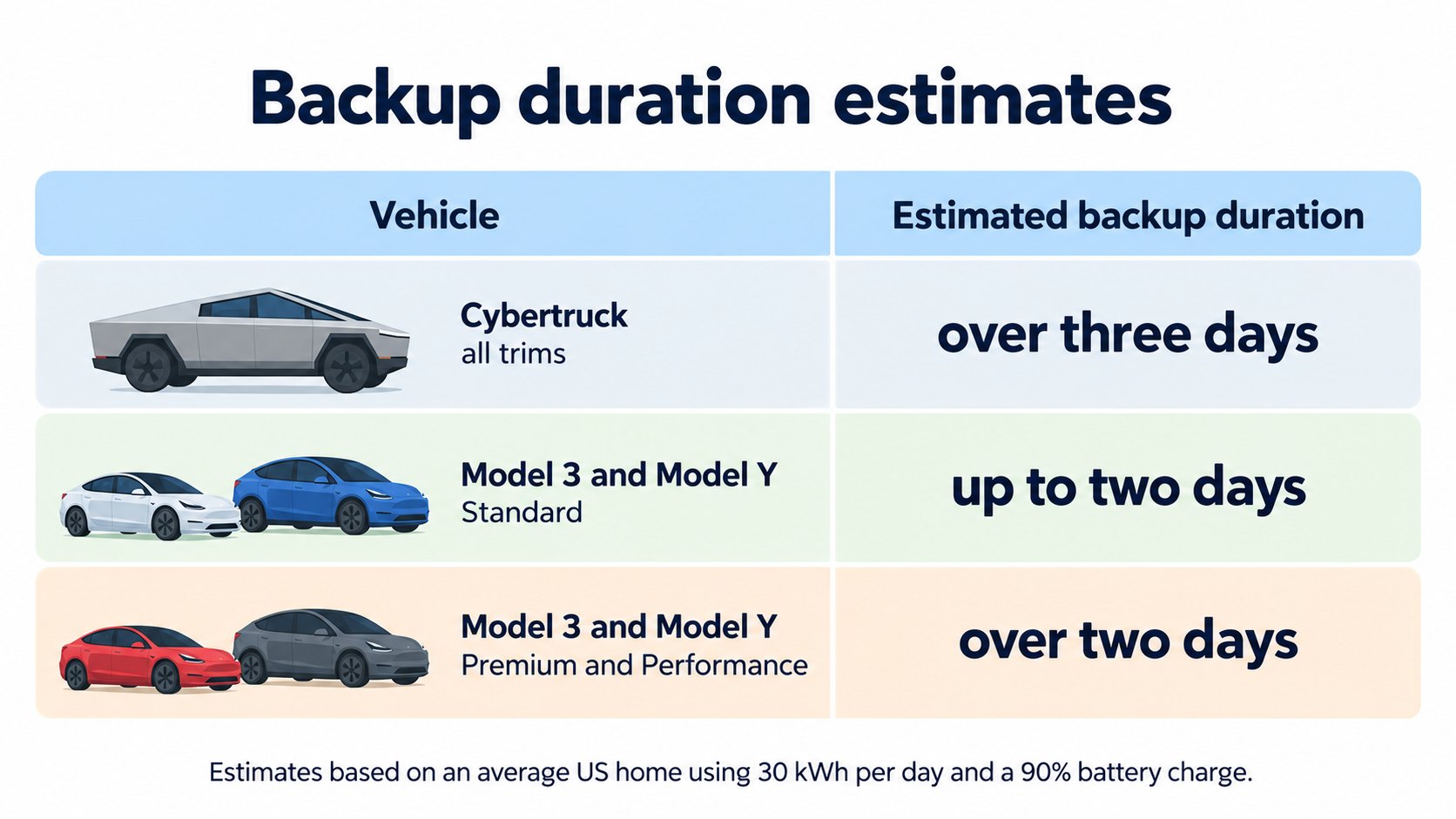
The support page's table says:
| Model and trim | Backup duration |
|---|---|
| Cybertruck (all trims) | Over three days |
| Model 3 Standard, Model Y Standard | Up to two days |
| Model 3 Premium, Model Y Premium, Performance | Over two days |
These are estimates based on an average US home using 30 kWh per day and a 90% battery charge. Results vary with solar equipment, vehicle model, actual usage and state of charge when backup begins.
FAQ
What is Powershare?
A feature that sends power from a Tesla's battery to a home or appliances (Tesla support).
Can a car's battery power a house?
According to the support page, in an outage a Cybertruck can provide up to 11.5 kW for over three days (an estimate for an average US home), and a Model 3 or Model Y roughly two days depending on trim. Some setups assume a Powerwall.
Can I plug appliances into the car?
With a Gen 3 Mobile Connector and the Tesla Outlet Adapter, the charge port can work like an outlet (support page).
Can I use it in Japan?
Summary
- Powershare sends power from the car's battery to a home or appliances (Tesla support).
- Home Backup needs equipment such as a Powerwall or Wall Connector. The charge port works like an outlet with a Gen 3 Mobile Connector and an adapter.
- Backup durations are estimates assuming 30 kWh a day and 90% charge.
Sources (checked 2026-10-16)
- Tesla Support, "Tesla Powershare": https://www.tesla.com/support/powershare
This article is for learning about science and technology and is not investment advice. Facts and the author's reading are kept separate. The figures are AI-generated illustrations.
Thank you for reading. Was this article useful to you?
Thank you. If you like, tell us what you thought in a line or two.
Optional. No name or email needed.
Received. We will use your words to make better articles.