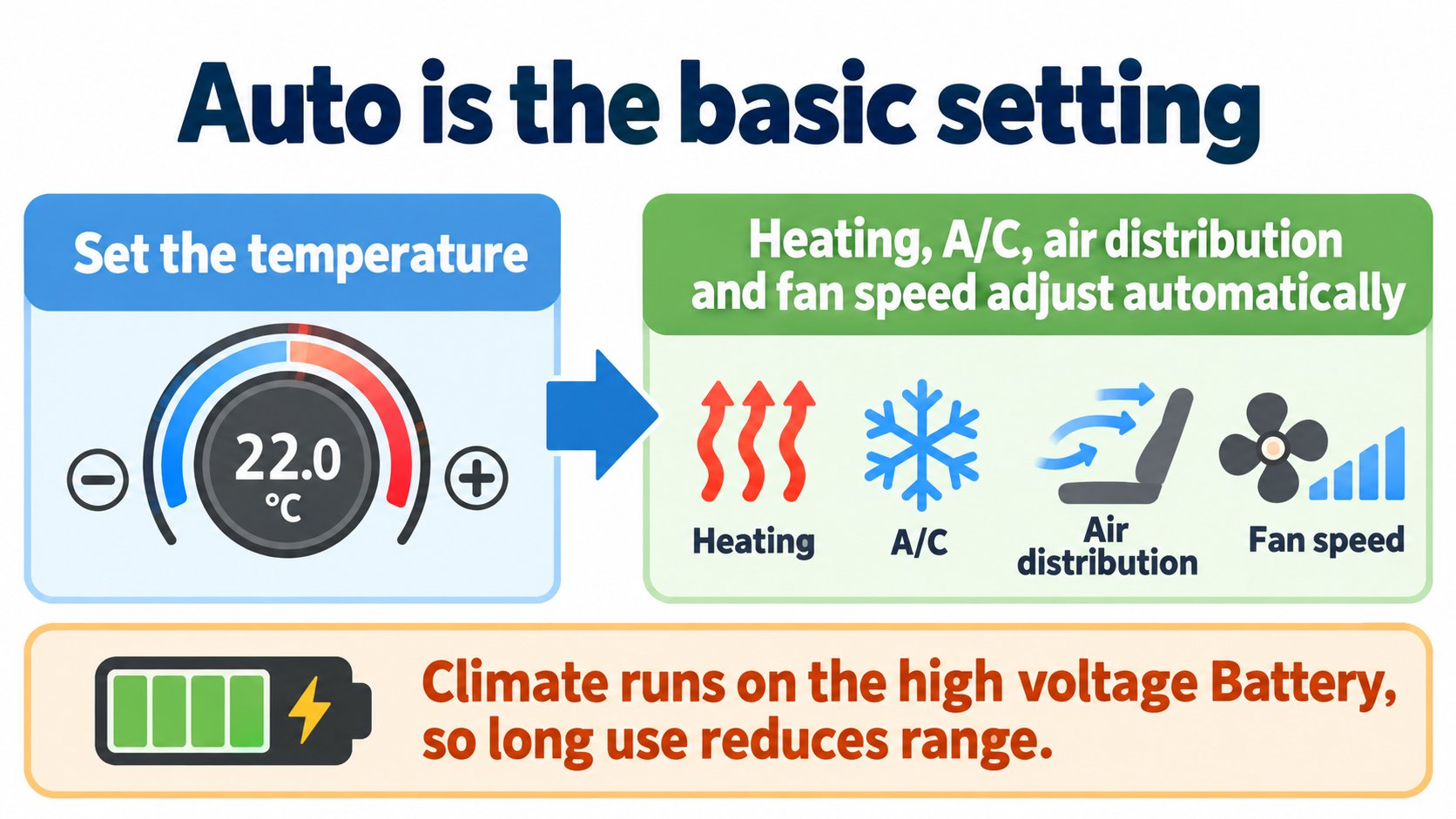
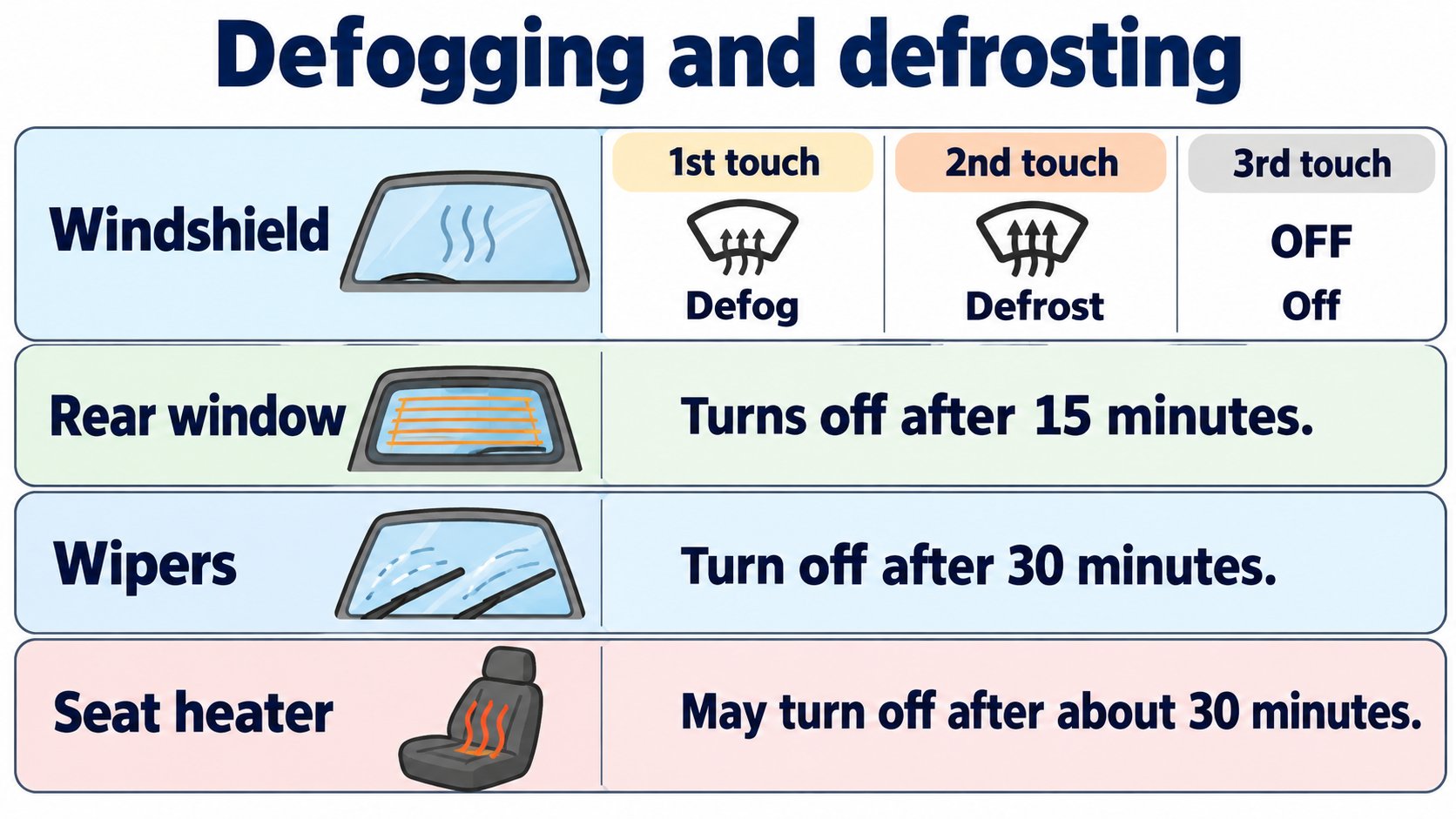
According to the Model 3 Owner's Manual (North America, software 2026.32), climate control defaults to Auto, which adjusts heating, A/C, air distribution and fan speed to your set temperature. It runs on the high voltage Battery, so prolonged use reduces range. Seat heaters may turn off after about 30 minutes, the rear defroster after 15 minutes and the wiper defrosters after 30 minutes.
This article summarizes "Operating Climate Controls" in the Model 3 Owner's Manual (North America, software 2026.32; checked 2026-10-16). For how the heat pump works see the heat pump article; for warming the Battery see the preconditioning article.
The conclusion: Auto is usually enough
The manual says (summary):
- The default is Auto, which maintains optimum comfort in all but the most severe weather.
- When you change the temperature in Auto, it adjusts heating, A/C, air distribution and fan speed automatically.
- While warming up or cooling down, fan speed may be reduced; the screen shows "Warming Up" or "Cooling Down".
- Climate runs on the high voltage Battery, so prolonged use decreases range.
[A note for beginners]
The high voltage Battery is the large battery that drives the car.
What you can control on the screen (summary)
| Control | Details |
|---|---|
| Seat heaters | Three levels, 3 (highest) to 1 (lowest). Auto warms (or cools) the front seats by cabin temperature. A seat heater may turn off after about 30 minutes of continuous use. |
| Wiper defrosters (if equipped) | Turn off automatically after 30 minutes. |
| Heated steering wheel (if equipped) | In Auto, heats as needed. |
| Windshield defroster | First touch defogs, second defrosts, third turns off and restores the previous settings. |
| Rear window defroster | Turns off after 15 minutes. Side mirrors and the charge port are also heated while it runs. |
| Air intake | Draw air from outside or recirculate inside. |
| A/C | Turning it off reduces cooling but saves energy. |
| Temperature split | Driver and front passenger can set their own temperatures. |
Keeping climate on while parked: a separate article
Keep Climate On, Pet Mode, Camp Mode and Cabin Overheat Protection are covered in another article, so we do not repeat them here.
Operating tips
From the manual's tips:
- Climate turned on from the mobile app turns off after two hours.
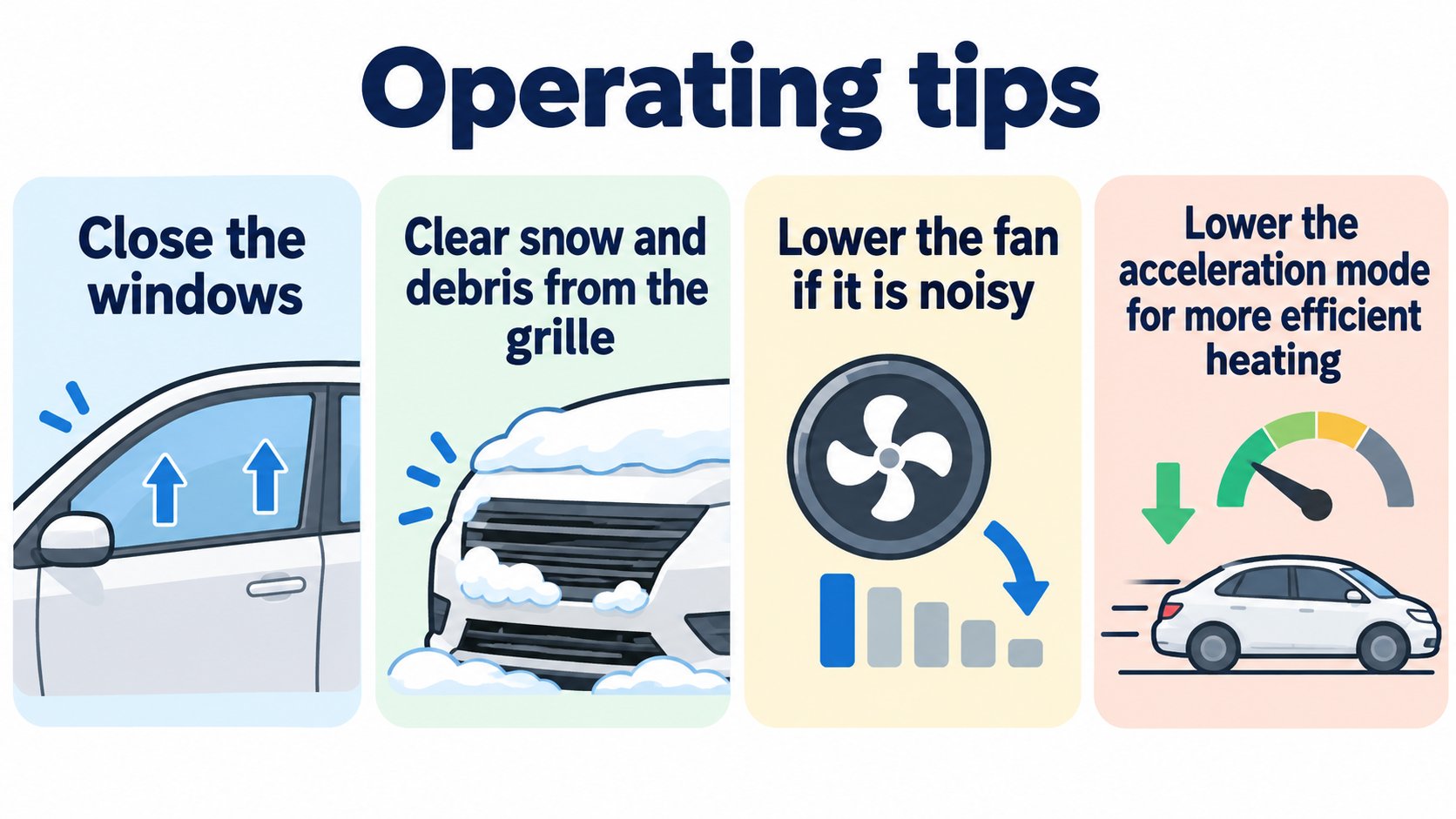
- To heat more efficiently, reduce the acceleration mode; the heat pump can then take more heat from the Battery (better efficiency in cold weather).
- If the system is too loud, lower the fan speed.
- In hot weather the A/C compressor can run even if you turned A/C off, to cool the Battery. This is normal.
- A small pool of water under the car when parked is normal (dehumidifying drain).
- Keep windows closed and the grille in front of the windshield free of snow and debris.
FAQ
Is Auto fine to leave on?
The manual says Auto is the default and maintains optimum comfort.
Is Pet Mode safe for people?
The manual says it is not intended for people and warns never to leave a child in the car.
Does climate use reduce range?
Yes; it runs on the high voltage Battery.
Summary
- Climate defaults to Auto and runs on the Battery, so long use reduces range.
- Seat heaters and defrosters shut off automatically after a set time.
- Parked-climate features (Pet Mode and others) are in another article.
Sources (checked 2026-10-16)
- Model 3 Owner's Manual, "Operating Climate Controls" (North America, software 2026.32): https://www.tesla.com/ownersmanual/model3/en_us/GUID-4F3599A1-20D9-4A49-B4A0-5261F957C096.html
This article is for learning about science and technology and is not investment advice. Facts and the author's reading are kept separate. The figures are AI-generated illustrations.
Thank you for reading. Was this article useful to you?
Thank you. If you like, tell us what you thought in a line or two.
Optional. No name or email needed.
Received. We will use your words to make better articles.