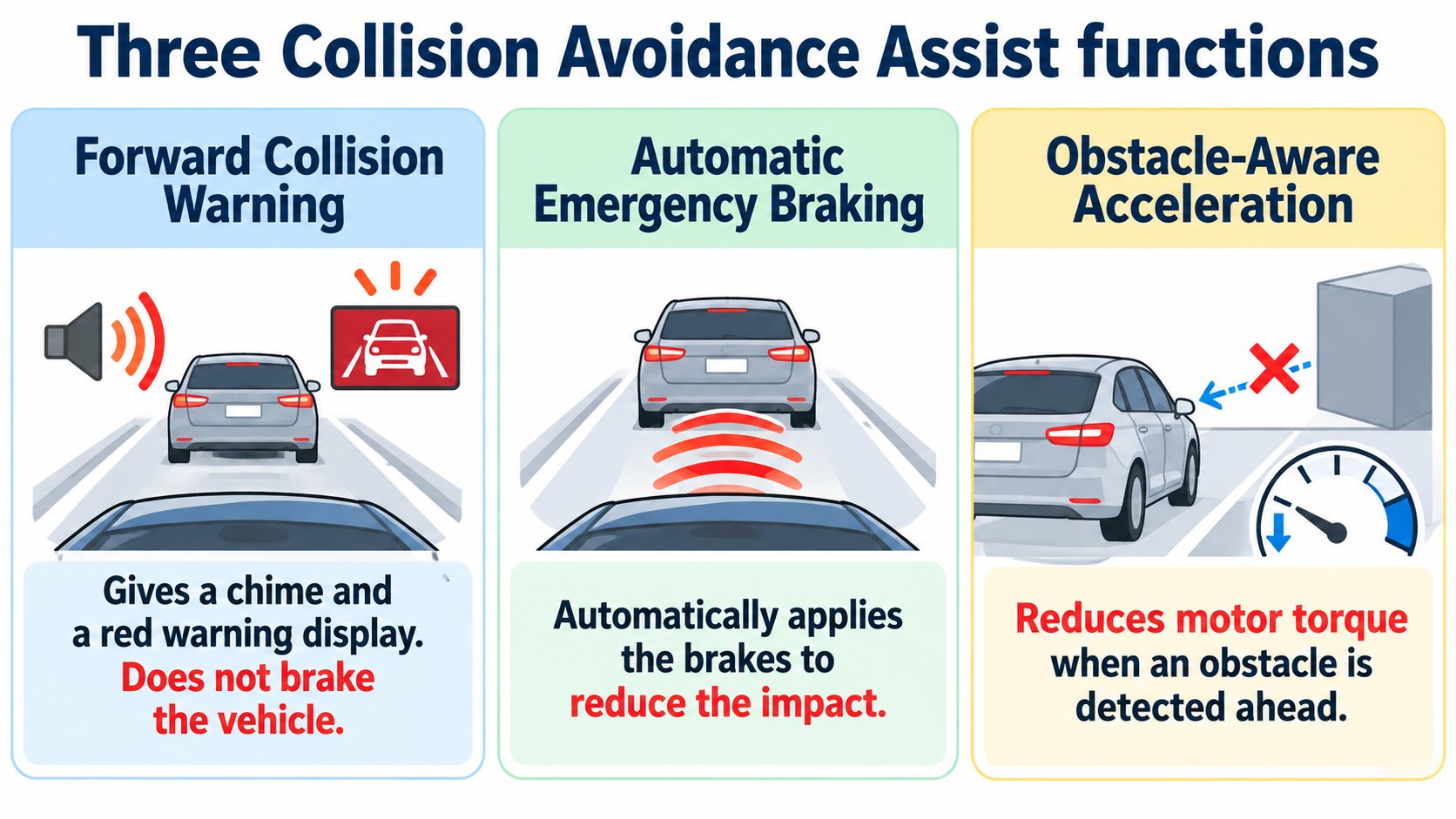
According to Tesla's manual (Model 3, North America, software 2026.32), Collision Avoidance Assist includes forward collision warning (warning only), automatic emergency braking (reduces the impact) and Obstacle-Aware Acceleration. Forward collision warning and emergency braking work at roughly 3 mph (5 km/h) to 124 mph (200 km/h). None of them is designed to prevent a collision, and none replaces driver attention.
The Tesla Vision article showed that the car sees its surroundings with cameras. Here we check the collision avoidance functions that use those cameras, in the Model 3 Owner's Manual ("Collision Avoidance Assist", North America, software 2026.32; checked 2026-10-16).
The conclusion: warning, braking, limiting acceleration, none of them "prevents"
The manual describes three functions (summary):
| Function | What it does |
|---|---|
| Forward Collision Warning | When there is a high risk of collision with a vehicle, motorcycle, bicycle or pedestrian ahead, it sounds a chime and shows the vehicle ahead in red. It does not brake. |
| Automatic Emergency Braking | When a collision is judged unavoidable, it brakes to reduce speed and the severity of impact. |
| Obstacle-Aware Acceleration | If something is directly ahead and you press the accelerator hard, it reduces motor torque and sometimes brakes. (Example: in Drive in front of a closed garage door.) |
The manual warns that all three are not designed to prevent collisions and do not replace the driver's attention.
[A note for beginners]
Torque is the turning force of the motor. Less torque means weaker acceleration (a general explanation).
Forward collision warning
- On by default. In "Controls > Self-Driving" you can turn it off or change the warning timing (late, medium (default), early). The setting is kept until you change it.
- It may not warn if you are already braking.
- The cameras (and sensors, if equipped) watch up to about 525 feet (160 m) ahead; this can be narrower depending on the road and weather.
- It works at roughly 3 mph (5 km/h) to 124 mph (200 km/h).
Automatic emergency braking
- When the brakes apply, the screen shows a warning, a chime sounds, the brake pedal may drop suddenly, and the brake lights come on.
- It works at roughly 3 mph to 124 mph.
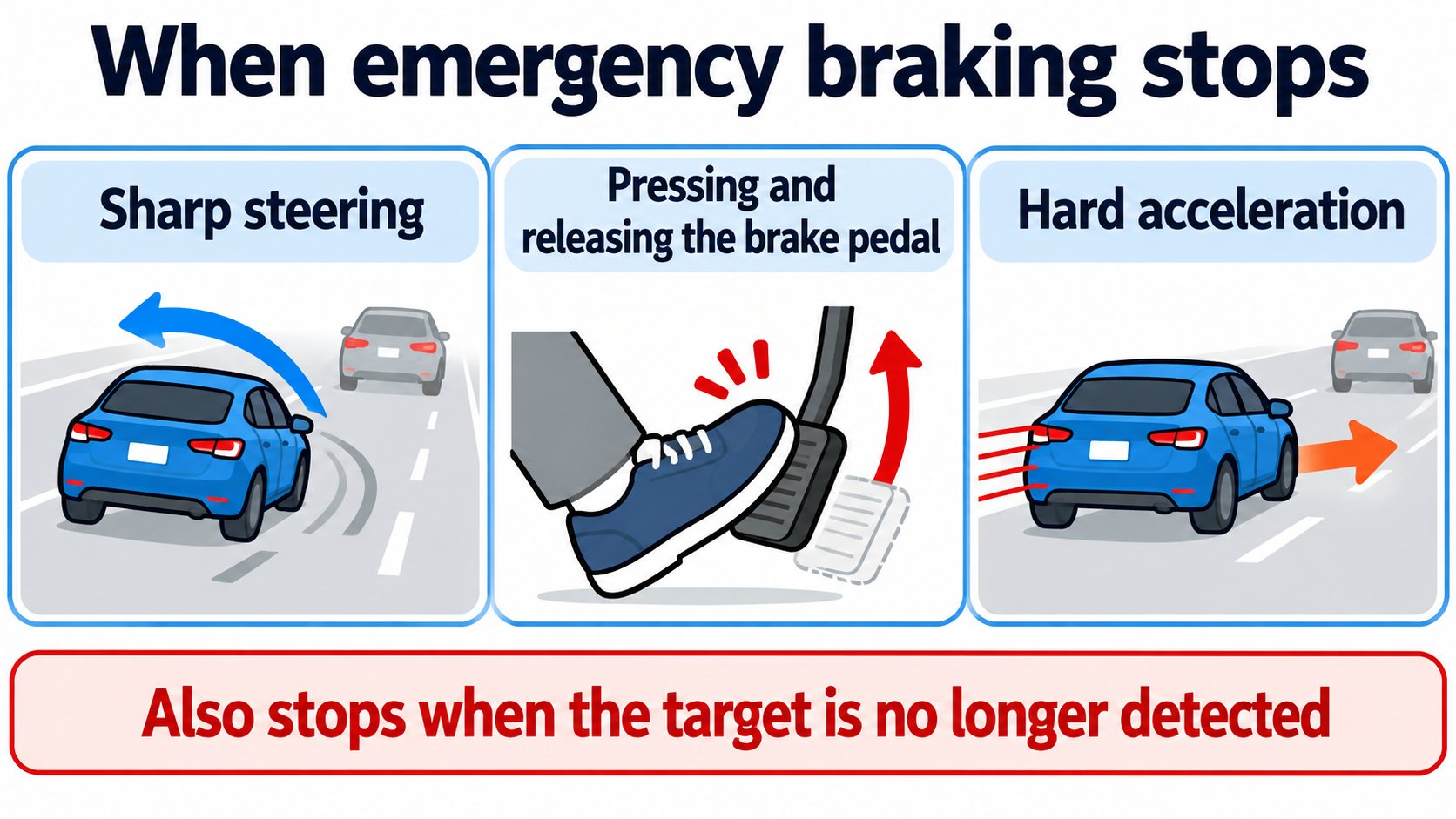
- It does not brake, or stops braking, if you steer sharply, press and release the brake pedal during braking, accelerate hard during braking, or the target is no longer detected.
- It is on at each start. You can turn it off for that drive only, in Park, from "Controls > Self-Driving", but the manual strongly recommends against turning it off. Even when off, it may brake after a first impact to reduce further impact.
- Because the brake pedal may drop suddenly, secure the driver's floor mat properly so it does not obstruct the pedal.
After a first impact: Multi-Collision Braking
If the system detects that airbags or seat belt pretensioners deployed, it may brake, whatever the speed, to prevent or reduce subsequent impacts (Multi-Collision Braking).
Reversing: Rear Cross-Traffic Alert
- While reversing with the rear camera view on screen, if something crossing behind the car is detected, a red vertical bar appears (on the left if it comes from the left).
- A chime can be turned on under "Controls > Safety > Rear Cross-Traffic Chime". It sounds only while reversing and moving.
- Emergency braking and obstacle-aware acceleration may also brake. You must still check your surroundings with your own eyes.
When they work poorly
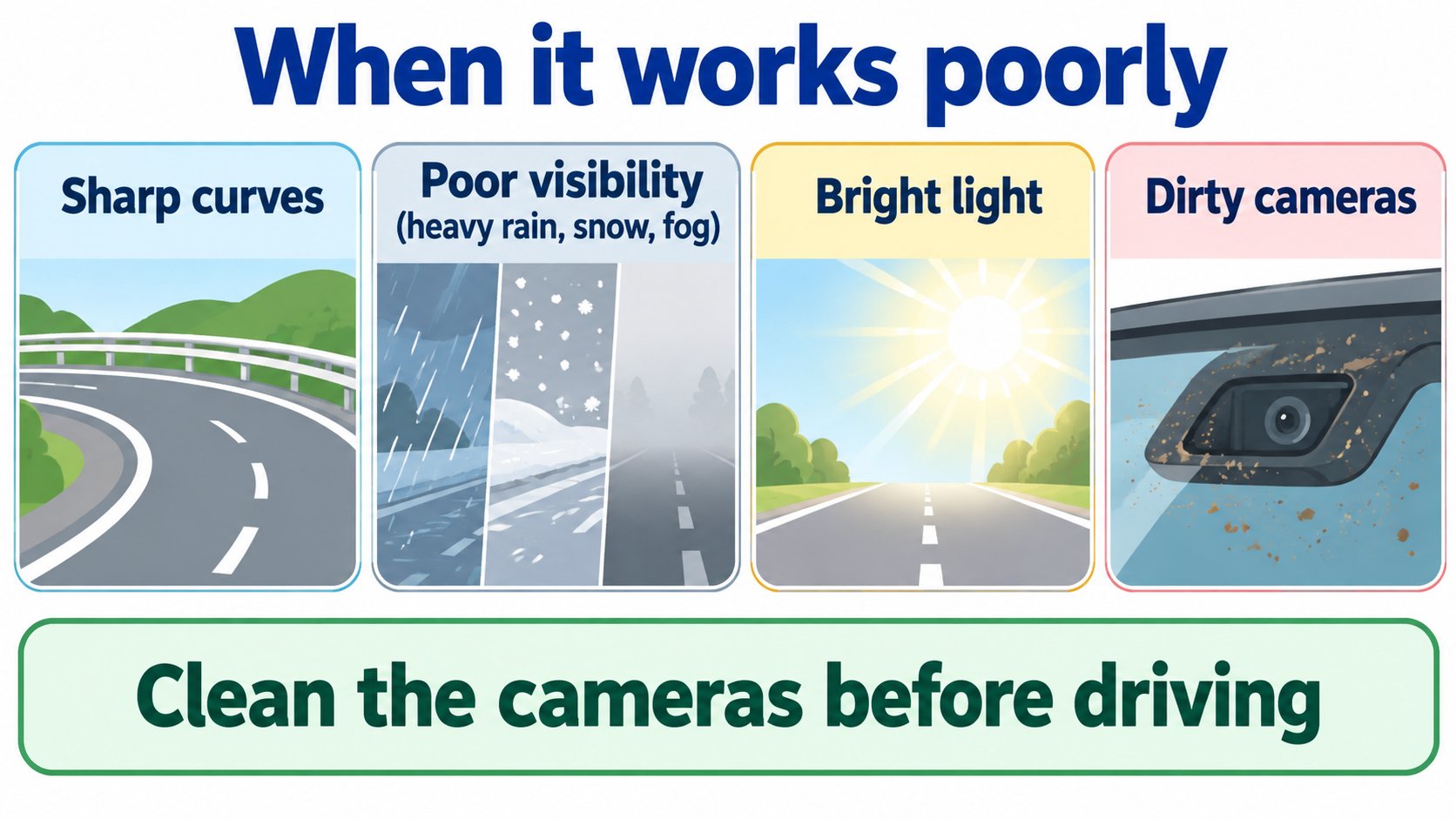
The manual says missed detections, false warnings and misses can occur:
- On sharp curves.
- In poor visibility (heavy rain, snow, fog).
- With bright light (oncoming headlights, direct sun) interfering with the cameras.
- When cameras or sensors are blocked (dirt, fogging, stickers, mud, ice, snow, wraps).
- In extreme weather (heavy rain, snow, fog, extreme heat or cold).
- With ultrasound from other electrical equipment (vehicles with sensors).
Clean the cameras before driving. If there is a fault, a warning appears; contact Tesla service. When Track Mode is on, driver-assistance features are disabled automatically.
FAQ
Can automatic emergency braking prevent a collision?
The manual says it is not designed to prevent all collisions and, depending on the situation, reduces the impact.
Can emergency braking be turned off?
Only for that drive, in Park, but the manual strongly recommends against it.
Does forward collision warning brake?
No. It only alerts the driver with a chime and a red display.
At what speeds does it work?
Forward collision warning and emergency braking work at roughly 5 km/h to 200 km/h (3 mph to 124 mph).
Summary
- Collision Avoidance Assist: forward collision warning (warning only), automatic emergency braking (reduces impact), obstacle-aware acceleration.
- Works at about 3 to 124 mph. None is designed to prevent a collision, and none replaces the driver.
- Dirty cameras, bad weather, bright light and sharp curves can make it work poorly.
Sources (checked 2026-10-16)
- Model 3 Owner's Manual, "Collision Avoidance Assist" (North America, software 2026.32): https://www.tesla.com/ownersmanual/model3/en_us/GUID-8EA7EF10-7D27-42AC-A31A-96BCE5BC0A85.html
This article is for learning about science and technology and is not investment advice. Facts and the author's reading are kept separate. The figures are AI-generated illustrations.
Thank you for reading. Was this article useful to you?
Thank you. If you like, tell us what you thought in a line or two.
Optional. No name or email needed.
Received. We will use your words to make better articles.