Traffic-Aware Cruise Control (TACC) keeps a set speed and, if there is a vehicle ahead, an adjustable following distance. According to the Model 3 owner's manual (2026.32), it works from 30 to 150 km/h in the Japanese edition, and from 18 mph (30 km/h) to 85 mph (140 km/h) in the North American edition. It is not a collision warning or avoidance system; the driver must watch the road and stay in control. It cancels when you brake, press the right scroll button, open a door, or when Automatic Emergency Braking triggers.
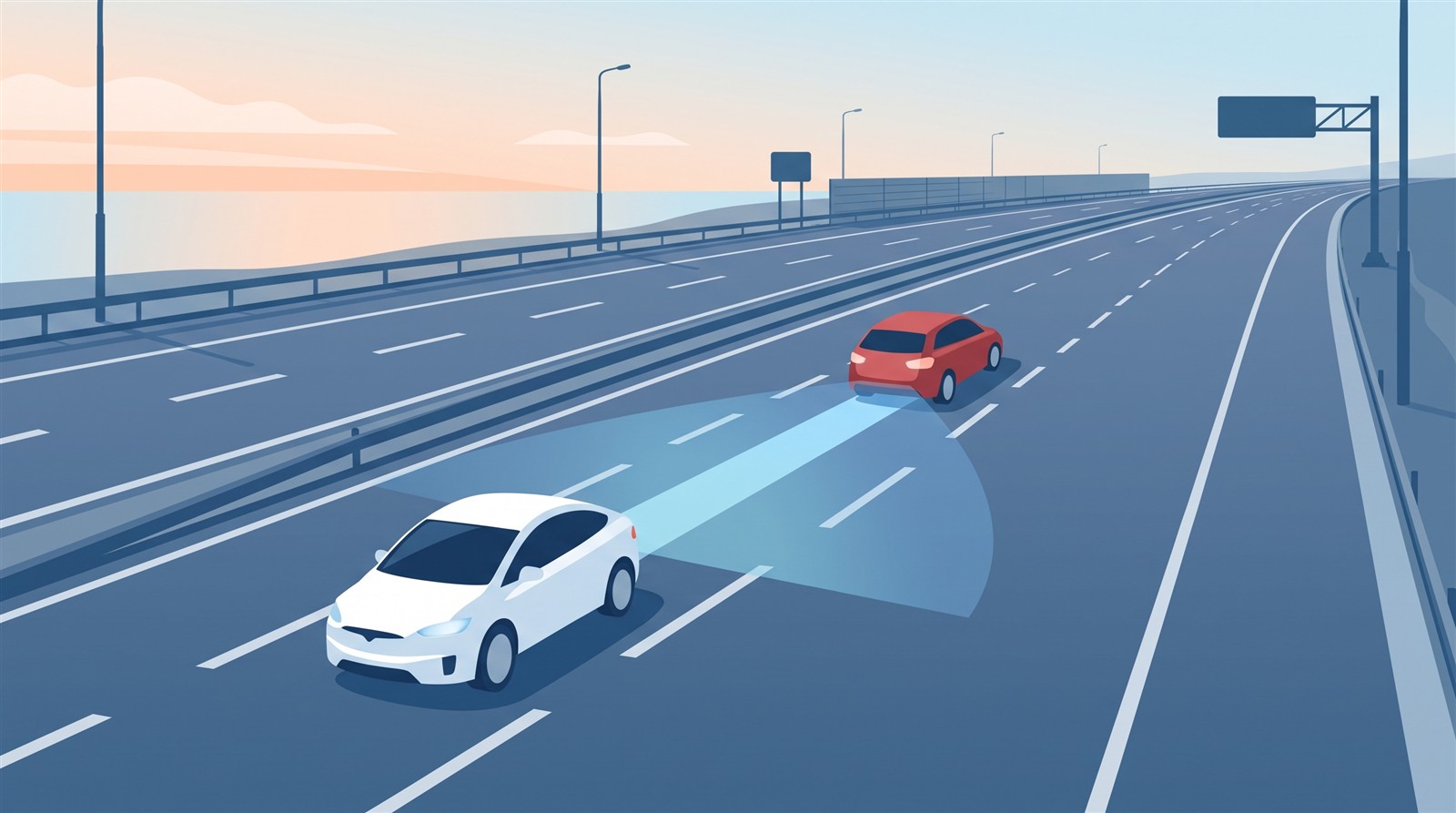
"Cruise control" holds a set speed without you pressing the accelerator. Tesla's version also keeps a gap to the car ahead, which is why it is called "Traffic-Aware". This article checks what it does, its conditions and when it stops, in the Model 3 owner's manual (North American and Japanese editions, software 2026.32).
In short: with no car ahead it holds the set speed; with one ahead it keeps the gap you chose. But it is not a safety system; the driver stays in charge
The manual's first sentence: "Traffic-Aware Cruise Control maintains your speed and an adjustable following distance from the vehicle in front of you, if there is one."
The key warning is on the same page:
"Traffic-Aware Cruise Control is designed for your driving comfort and convenience and is not a collision warning or avoidance system. It is your responsibility to stay alert, drive safely, and be in control of the vehicle at all times."
Settings to choose first
In Controls > Self-Driving (the Japanese edition says "Drive Assist"):
- Set Speed: engage at the detected speed limit, or at your current speed.
- Offset: if you choose Speed Limit, set an amount added to it, either Fixed or Percentage.
- Self-Driving Activation (if equipped): with Single Click, one press of the right scroll button engages both TACC and Autosteer; with Double Click, Autosteer needs a double press. To use TACC on its own, set it to Double Click.
- Green Traffic Light Chime: a chime when a red light turns green (the car ahead moves). The North American edition says "in Canada and the U.S."
How to use it
- Touch Controls > Self-Driving > Traffic-Aware Cruise Control.
- Press the right scroll button, then release the accelerator. A chime sounds.
- Change the set speed by rolling the right scroll wheel up (faster) or down (slower). Pressing the speed-limit sign on the screen sets the current limit (with offset).
- You can press the accelerator at any time to go faster temporarily; when you release it, the car returns to the set speed.
- Cancel by pressing the right scroll button or braking.
On the screen the speed is gray when available but not engaged, and blue when active.
Usable speeds: the two editions give different numbers
| North American edition (English) | Japanese edition | |
|---|---|---|
| Usable speeds | 18 mph (30 km/h) to 85 mph (140 km/h) | 30 km/h to 150 km/h |
| At lower speeds | Can be activated if a vehicle is detected at least 5 feet (1.5 m) ahead | Can be activated if a vehicle is detected 1.5 m or more ahead |
| Cancels above | 85 mph (140 km/h) | 150 km/h |
Although these are manuals for the same software version, the upper limit is 140 km/h versus 150 km/h. The manual alone does not tell me which applies to a car in Japan.
How it behaves while driving
- With no vehicle ahead it holds the set speed. Behind a vehicle it accelerates and decelerates to keep the chosen following distance (up to the set speed).
- It also adjusts speed entering and leaving curves.
- When it slows to keep the gap, the brake lights come on, and you may notice slight brake pedal movement (the accelerator pedal does not move when it accelerates).
- If you are moving significantly faster than traffic in adjacent lanes, it slows automatically (pressing the accelerator overrides this temporarily).
Following distance
Press the right scroll button left or right to adjust it. Each level corresponds to a time-based distance: how long it would take from the car's current position to reach the rear bumper of the vehicle ahead. The closest setting is level 2. The screen shows the setting. The page gives no figure in seconds.
After stopping: the HOLD state
While following a vehicle, TACC stays active even at low speed or at a full stop. In stop-and-go traffic it accelerates again to the set speed when traffic moves.
At a full stop it sometimes goes into HOLD. Then briefly press the accelerator to resume. The screen shows the HOLD icon and a message.
It goes into HOLD when:
- the car has been at a standstill for 5 minutes
- it detects a pedestrian (it may clear when the pedestrian is no longer detected)
- it suddenly loses sight of the vehicle ahead
- it detects an obstacle ahead
Near exits and ramps (the two editions describe this differently)
Near an exit on a controlled-access highway, if you signal toward the off-ramp, TACC assumes you are exiting and slows down. If you don't take the ramp, it resumes the set speed. In right-hand-traffic regions this happens only when you use the right turn signal in the right-most lane within 164 ft (50 m) of an exit (left-hand regions mirror this). (The Japanese edition says "right turn signal" for left-hand regions too, which may be a typo; I could not confirm.)
When entering a controlled-access road, the set speed is automatically adjusted to that road's speed limit (plus any offset).
Only the North American edition has this (I could not find it in the Japanese edition):
- On a highway interchange or off-ramp, the set speed may be reduced in 5 mph (5 km/h) steps, to as low as 25 mph (40 km/h), to match the reported speeds of other Teslas that drove there. A tap on the accelerator overrides it. With insufficient data it may not reduce speed automatically, so judging an appropriate speed is the driver's job.
Overtake acceleration
Briefly engaging the turn signal accelerates the car toward the vehicle ahead. Conditions:
- TACC is operating and detects a vehicle ahead.
- No obstacle or vehicle is detected in the target lane.
- The car is below the set speed but over 45 mph (72 km/h).
Acceleration stops if lane changing takes too long, the car gets too close to the vehicle ahead, or you cancel the signal.
Stop light and stop sign warning (North American edition)
The North American edition says that while TACC is in use, if the car judges you are likely to run through a red light or stop sign, it shows a warning and sounds a chime. It gives warnings only; it does not stop the car. On cars with "Traffic Light and Stop Sign Control", enabling that feature lets the car stop automatically. (I could not find this section in the Japanese edition.)
When it cancels
According to the manual, TACC cancels when you:
- press the right scroll button
- press the brake pedal
- exceed the upper speed limit (85 mph/140 km/h in the North American edition, 150 km/h in the Japanese edition)
- shift into Reverse, Park or Neutral
- open a door
- trigger Automatic Emergency Braking
- release the driver's seat belt or leave the driver's seat
When it cancels, the car does not coast: regenerative braking slows it, as when you lift off the accelerator. Related: Regenerative braking.
[Author's reading (not a confirmed fact)]
Because the manual describes fine details such as HOLD, brake lights and regenerative braking, the design seems to reproduce, in software, movements close to a driver's foot. But actual performance cannot be known from the manual's text.
FAQ
What is Traffic-Aware Cruise Control (TACC)?
A feature that keeps a set speed and, if a vehicle is ahead, the following distance you chose. The manual states it is not a collision warning or avoidance system.
From what speed can I use it?
30 to 150 km/h in the Japanese edition, 30 to 140 km/h (18 to 85 mph) in the North American edition. It can work at lower speeds if a vehicle is detected at least 1.5 m ahead (manual).
Does it work in a traffic jam, even when stopped?
While following a vehicle it stays active even at low speed or a full stop. If it goes into HOLD, press the accelerator briefly to resume. HOLD can occur after 5 minutes stopped, among other cases.
How do I use TACC without Autosteer?
Set Self-Driving (Drive Assist) Activation to "Double Click" (manual).
What happens if I press the brake?
TACC cancels, and regenerative braking slows the car.
Summary
- TACC keeps a set speed and, with a vehicle ahead, the following distance you chose. It is not a collision warning or avoidance system.
- Usable speeds: 30 to 150 km/h in the Japanese edition and 30 to 140 km/h in the North American edition. The numbers differ.
- After a full stop it may enter HOLD; press the accelerator briefly to resume.
- Details such as turn signals at exits and overtake acceleration are in the manual. Slowing at interchanges and the red-light warning were found only in the North American edition.
Related articles: FSD vs Autopilot, Collision avoidance, Regenerative braking, Summon and Autopark, Traction Control and Acceleration Modes.
Next article: coming soon.
Sources (checked 2026-10-18)
- Tesla, "Model 3 Owner's Manual (2024+, software 2026.32, North America)", Traffic-Aware Cruise Control: https://www.tesla.com/ownersmanual/model3/en_us/GUID-DA920829-F1FA-44F9-8754-6D914C524A79.html
- Tesla, "Model 3 Owner's Manual (Japanese edition)", Traffic-Aware Cruise Control: https://www.tesla.com/ownersmanual/model3/ja_jp/GUID-DA920829-F1FA-44F9-8754-6D914C524A79.html
This article is for learning about science and technology and is not investment advice. Facts and the author's reading are written separately. Figures are AI-generated illustrations.
Thank you for reading. Was this article useful to you?
Thank you. If you like, tell us what you thought in a line or two.
Optional. No name or email needed.
Received. We will use your words to make better articles.